I’ve been teaching game development at the University level for a little over 4 years. As a generalist, I’ve taught a pretty wide variety of classes, from Level Design, to Scripting, to VR Design, to Project Management.
During the summers I often run summer camps for high school students, and during those camps I teach the full pipeline - concerting and iteration, sketching and planning, creating art assets (modeling, texturing, rigging, animating), world building, scripting, and integrating art/sound/VFX.
I remember my college days where I was told being a generalist was a bad idea, and that if I wanted to be successful I needed to choose an area to focus. Although most of my jobs have not utilized all of my skills, I have never struggled to find work in the game industry, and many of my employers have appreciated my ability to jump seamlessly into other roles when needed.
At my current University, the topic often comes up in discussion among faculty of how to get our students to focus, to keep them from becoming generalists.
Here’s my two cents - if you can code, you will always have that to fall back on, there will always be someone who will pay you to write code.
If you can make art, you will always be able to bring your ideas to life. There may be times when it will be hard to find someone to pay for your art, that comes with the territory, but that shouldn’t keep you from creating great things.
If you can lead a team, you will find ways to do so, even if you are not formally given positions of authority.
Don’t shy away from being a generalist, if you are passionate about many different things, lean into that passion and become great.
On the other hand, if you have strong skills in one area and no interest in strengthening the other areas, then by all means specialize. Being a generalist is not for everyone, and many game studios rely on having very specialized skills on their team.
Showing posts with label learning. Show all posts
Showing posts with label learning. Show all posts
Thursday, October 10, 2019

Sunday, March 25, 2018
Game Dev Tutorials
Many game devs get their start from following tutorials, because even though there has been a surge of game-related classes and programs in colleges and schools, a lot of the content taught is overarching principles of design and workflows. Hands-on how-to material is still largely dominated by online tutorials.
Tutorials are a great way to learn how to build specific mechanics within specific engines or frameworks, and can be beneficial even for seasoned developers. Often tutorials cover not only scripting, but also art asset creation, world building, animation, and effects...you can make a complete game from scratch by following a tutorial, or you can pick up bits and pieces to fill in knowledge games.
For the past year I've been working on tutorializing content that I teach in classes, workshops, and camps. This is beneficial to anyone participating in my classes because it means they can work at their own pace and continue to learn even when I am not there, and it also allows people from all around the world to experience this content because it is available online (and much of it is free).
If you are an aspiring game developer, or if you teach game dev classes or workshops, I hope you will consider checking out my suite of tutorials. Here is a rundown of what I have to offer (all tutorials use the Unity game engine):
This tutorial covers everything you need to know about using 2D sprites in Unity, either for 2D game objects animated for 2D gameplay, or for UI elements in a 2D or 3D game. Topics covered include sprite sheets, color, sliders, and rotation/scale/position animations.
Unity has a built-in physics engine that allows you to quickly and easily animate objects using physical properties such as force, torque, friction, mass, and bounciness. In this tutorial you will learn how to use these different properties to create a wide range of movement and behavior for physics-based objects in both 3D and 2D.
In addition to rigidbody physics, Unity also supports cloth physics. This tutorial covers the basics for setting up an object to behave like cloth, including constraints, stiffness, stretchiness, and animated force for wind and gravity.
This tutorial breaks down the most common features of Unity's Particle System component, including sprite sheets, velocity over lifetime, color over lifetime, trails, emissions, and bursts.
One of the biggest distinguishing factors from a student game and a professionally developed game is the "juiciness" of the interactions. The hallmark of game design is making the game "feel good" and so much of that good feeling comes from making things feel reactive to the player's actions. This tutorial covers specifically using particles and sound effects to make the interactions juicy.
This tutorial is available on Pluralsight and covers the full pipeline for creating your first game prototype. It covers whiteboxing, importing assets, building a level, adding animations, particles, lighting, and sounds, and making it a complete experience with a UI start screen and win/lose screens.
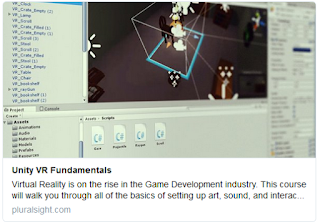
This tutorial is specifically intended for aspiring VR developers, and gives the basics of getting started with room-scale VR on the Vive, and mobile VR.
Please subscribe to our youtube channel for more tutorials, gameplay videos, and other fun things! Thanks for reading!
Tutorials are a great way to learn how to build specific mechanics within specific engines or frameworks, and can be beneficial even for seasoned developers. Often tutorials cover not only scripting, but also art asset creation, world building, animation, and effects...you can make a complete game from scratch by following a tutorial, or you can pick up bits and pieces to fill in knowledge games.
For the past year I've been working on tutorializing content that I teach in classes, workshops, and camps. This is beneficial to anyone participating in my classes because it means they can work at their own pace and continue to learn even when I am not there, and it also allows people from all around the world to experience this content because it is available online (and much of it is free).
If you are an aspiring game developer, or if you teach game dev classes or workshops, I hope you will consider checking out my suite of tutorials. Here is a rundown of what I have to offer (all tutorials use the Unity game engine):
Unity has a built-in physics engine that allows you to quickly and easily animate objects using physical properties such as force, torque, friction, mass, and bounciness. In this tutorial you will learn how to use these different properties to create a wide range of movement and behavior for physics-based objects in both 3D and 2D.
In addition to rigidbody physics, Unity also supports cloth physics. This tutorial covers the basics for setting up an object to behave like cloth, including constraints, stiffness, stretchiness, and animated force for wind and gravity.
This tutorial breaks down the most common features of Unity's Particle System component, including sprite sheets, velocity over lifetime, color over lifetime, trails, emissions, and bursts.
One of the biggest distinguishing factors from a student game and a professionally developed game is the "juiciness" of the interactions. The hallmark of game design is making the game "feel good" and so much of that good feeling comes from making things feel reactive to the player's actions. This tutorial covers specifically using particles and sound effects to make the interactions juicy.
This tutorial is available on Pluralsight and covers the full pipeline for creating your first game prototype. It covers whiteboxing, importing assets, building a level, adding animations, particles, lighting, and sounds, and making it a complete experience with a UI start screen and win/lose screens.
This tutorial is specifically intended for aspiring VR developers, and gives the basics of getting started with room-scale VR on the Vive, and mobile VR.
Please subscribe to our youtube channel for more tutorials, gameplay videos, and other fun things! Thanks for reading!
Sunday, August 27, 2017
Game AI: Non-Human Behavior Part 5
This is part 5 of a series on Game AI for Non-Human Behavior. Here's what you might have missed!
In 2015 there was an article published in nature that used Atari 2600 games to explore Reinforcement Learning in AI. Reinforcement Learning is the process of allowing AI to explore different options and learn behavior through a reward system, as opposed to Supervised Learning where AI performing sub-optimal behavior is explicitly corrected. The article, "Human-level control through deep reinforcement learning," examines sensory input used to understand the surrounding environment. In their research, the sensory input used correlates to visual input (or sight), allowing the AI to look at the pixels that make up the current game state.
In contrast, these blind catfish living in underwater caves have adapted to survive completely without sight. When one sense fails, we rely on honing our other senses to adapt to a world without the missing sense.
As children, we learn the five senses as sight, sound, smell, taste, and touch. These are the senses we as humans understand, because these are the senses we experience. However, there are other senses present in nature that are outside our area of experience. Bats, for example, use sonar in place of sight to determine the positions of things around them.

A "sense" is defined as a system of a group of cell types that responds to specific physical phenomena, which correspond to a particular region of the brain that interpret those signals. Some plants have specialized cells which detect gravity, allowing the plants to grow upright with their roots growing down into the earth.
Even with senses we understand, such as smell, non-human creatures have far superior uses of them in many cases. Sharks can determine the direction a smell is coming from based on which nostril received the scent first.
Though the focus of reinforcement learning is on changing behavior based on rewards, it relies on information about the environment being interpreted through senses. We can see something similar happen in the classic rat maze example - the hungry rat is placed in a maze that has a piece of cheese at the end and allowed to explore the maze until it finds the cheese. The rat is then placed back at the start of the maze, and this continues until the rat manages to navigate the maze perfectly. The cheese in this example is obviously the reward, but the rat needs a way to understand its environment in order to get the reward.
Beyond just understanding the environment, the senses also allow organism to understand the creatures around them, resulting in group-based behavior like flocking. To put flocking in simple terms, we can use an algorithm that uses cohesion, alignment, and separation to simulate behavior well enough for gameplay purposes.
Each agent in the AI flock will calculate it's desired vector of movement based on cohesion (the need to stay within in the group), alignment (the need to face the same direction as the group), and separation (the need to avoid hitting other members of the group). The calculation for cohesion is to look at the position of your neighbors within a specific range, find the center of mass, and move towards that center of mass. For alignment, the agent looks at the direction each of its neighbors is facing and aligns itself to the average. For separation, the agent will check to see if it is too close to any of its neighbors, and adjust accordingly. The three of these combined into the agent's velocity vector will result in a simple flocking behavior.
However, the flock's simple behavior may be disrupted by the presence of predators, causing the agents to need to assess their environment beyond just the position and orientation of their neighbors.
Bees are another wonderful example of teamwork behavior. Pheromones are special scented chemicals that allow some organisms to communicate information with each other via scent. Bees use pheromones the share information through the hive, resulting in a hive the essentially thinks together as if it were a brain with each bee acting as a neuron. I can imagine a similar system that could be used to have a group of friendly characters so coordinated that they act as a hive of bees with the player as their queen.
If you have enjoyed this series on AI for non-human behavior, please follow and subscribe!
- Part 1: Defining "Game AI" and "Non-Human Behavior"
- Part 2: Making Decisions, Predators and Prey
- Part 3: Weird Inspirations from Nature
- Part 4: Modes of Hunting
 |
| Source: Atari |
 |
| Source: The Hunt, Netflix |
 |
| Source: https://askabiologist.asu.edu/echolocation |

A "sense" is defined as a system of a group of cell types that responds to specific physical phenomena, which correspond to a particular region of the brain that interpret those signals. Some plants have specialized cells which detect gravity, allowing the plants to grow upright with their roots growing down into the earth.
 |
| Source: http://www.defenders.org/sharks/basic-facts |
 |
| Source: nature.com/scientificamericanmind/journal/v19/n4/images/ scientificamericanmind0808-22-I1.jpg |
 |
| Source: http://www.smithsonianmag.com/smart-news/ were-terrible-distinguishing-real-and-fake-schools-fish-180953162/ |
 |
| Source: http://harry.me/blog/2011/02/17/neat-algorithms-flocking/ |
 |
| Source: https://www.gizmodo.com.au/2014/03/ what-happens-when-you-throw-four-sharks-into-a-giant-school-of-fish/ |
 |
| Source: https://www.wired.com/2011/12/ the-true-hive-mind-how-honeybee-colonies-think/ |
If you have enjoyed this series on AI for non-human behavior, please follow and subscribe!
Tuesday, May 9, 2017
Game Prototyping in Unity, Part 2: Art and Sound Integration
This is Part 2 of my short blog series "Game Prototyping in Unity" about my recently released tutorial. If you have not already read Part 1 I recommend starting there!
In the second module of my tutorial I cover integrating art and sound in Unity and adding lighting and particles.
The first step is bringing in your model and texture files.

Then you will create a new material in Unity. Unity materials have a lot of properties you can work with, but the easiest ones to start with are the diffuse color (which is just the color of the material), normal color (which determines the detail or roughness of the surface), and specular or metallic color (giving it a shiny quality).

When you are done setting up your models with materials and textures, you can turn each art asset into a refab and replace your whitebox with art.

Make sure there are no areas where the player can walk out of the level. You don't need to follow your original layout, just use it as a general guide.

Once your layout is replaced with art it's time to add some lighting. For this type of level I want to use torches to give it a medieval feel. So I used a fire effect from Unity's default particle package and made some modifications so it would fit with this art style.

The flame particle system comes with a point light, but I also like to add a couple more point lights around each torch so you can see the details of the torch.

Once you have your bright areas, be sure to give some thought to lighting your dark areas. It's tempting to just keep dark areas unlit and leave them mostly black, but that generally doesn't look good in games because the player really can't see anything at all.

If you want to keep the feeling of darkness but still give the player enough visibility to play, use some dark blue lighting to fill the darkest areas.

When you are done, you'll have a well-lit level that conveys mood as well as giving visibility.

The final step in asset integration is adding sound effects. Rather than attaching ambient sounds to the main camera, try adding ambient audio sources as 3D sound around the scene, so as the player walks the sound changes. This helps bring the level to life.

If you enjoyed this blog post, please check out the video tutorial on Pluralsight which will take you step-by-step through this whole process! The next section will cover creating a character controller.
Thanks for reading!
In the second module of my tutorial I cover integrating art and sound in Unity and adding lighting and particles.
The first step is bringing in your model and texture files.

Then you will create a new material in Unity. Unity materials have a lot of properties you can work with, but the easiest ones to start with are the diffuse color (which is just the color of the material), normal color (which determines the detail or roughness of the surface), and specular or metallic color (giving it a shiny quality).

When you are done setting up your models with materials and textures, you can turn each art asset into a refab and replace your whitebox with art.

Make sure there are no areas where the player can walk out of the level. You don't need to follow your original layout, just use it as a general guide.

Once your layout is replaced with art it's time to add some lighting. For this type of level I want to use torches to give it a medieval feel. So I used a fire effect from Unity's default particle package and made some modifications so it would fit with this art style.

The flame particle system comes with a point light, but I also like to add a couple more point lights around each torch so you can see the details of the torch.

Once you have your bright areas, be sure to give some thought to lighting your dark areas. It's tempting to just keep dark areas unlit and leave them mostly black, but that generally doesn't look good in games because the player really can't see anything at all.

If you want to keep the feeling of darkness but still give the player enough visibility to play, use some dark blue lighting to fill the darkest areas.

When you are done, you'll have a well-lit level that conveys mood as well as giving visibility.

The final step in asset integration is adding sound effects. Rather than attaching ambient sounds to the main camera, try adding ambient audio sources as 3D sound around the scene, so as the player walks the sound changes. This helps bring the level to life.

If you enjoyed this blog post, please check out the video tutorial on Pluralsight which will take you step-by-step through this whole process! The next section will cover creating a character controller.
Thanks for reading!
Subscribe to:
Posts (Atom)